Overview
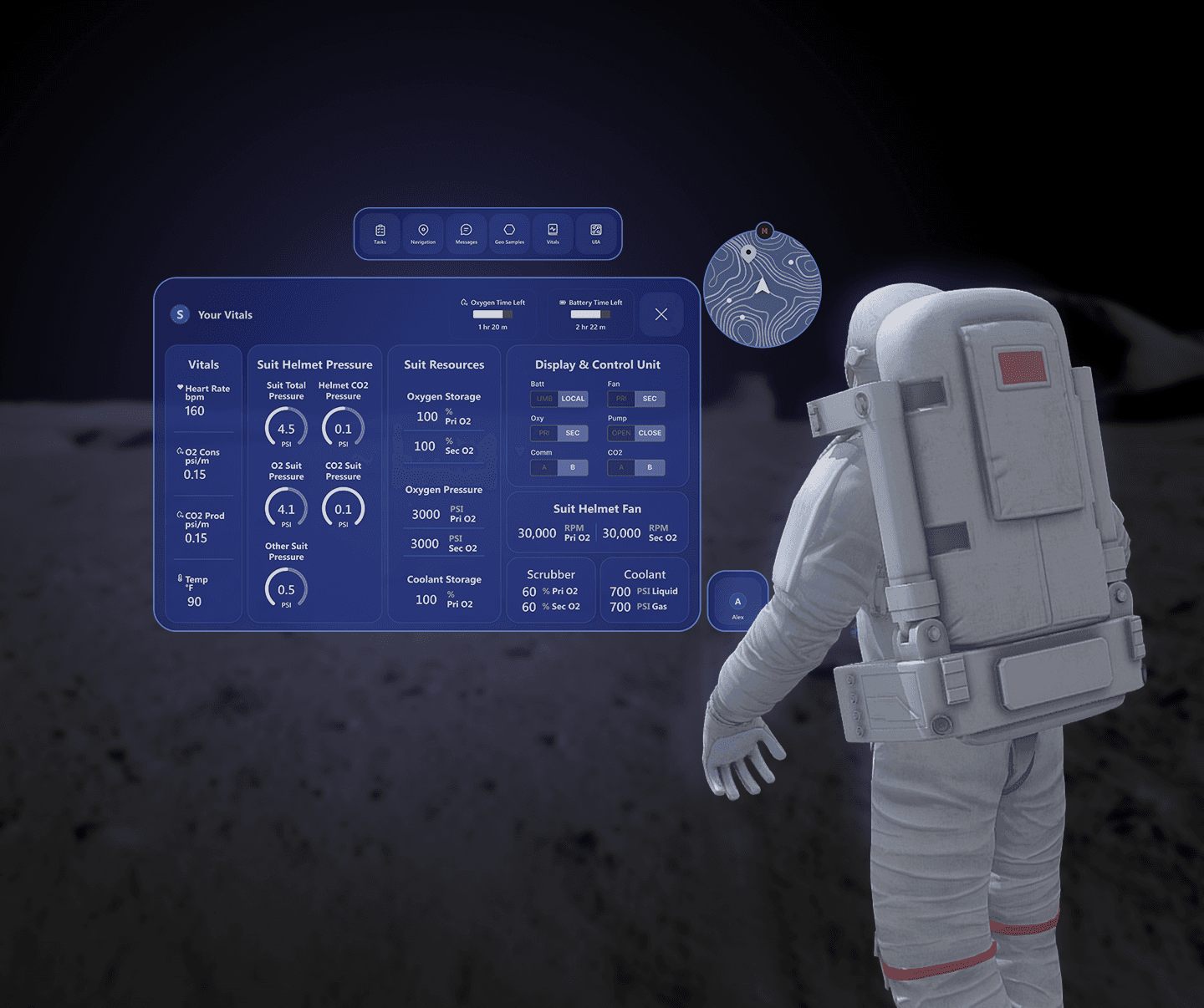
NASA SUITS (Spacesuit User Interface Technologies for Students) challenges university teams to build augmented reality spacesuit information displays. Our holographic interfaces are intended to inspire NASA as an agency to develop technology to assist astronauts exploring the lunar surface during future Artemis missions. Through the NASA SUITS Challenge, our team explored how augmented reality can enhance astronaut performance and safety on the Moon.
Solution Preview


Problem 1
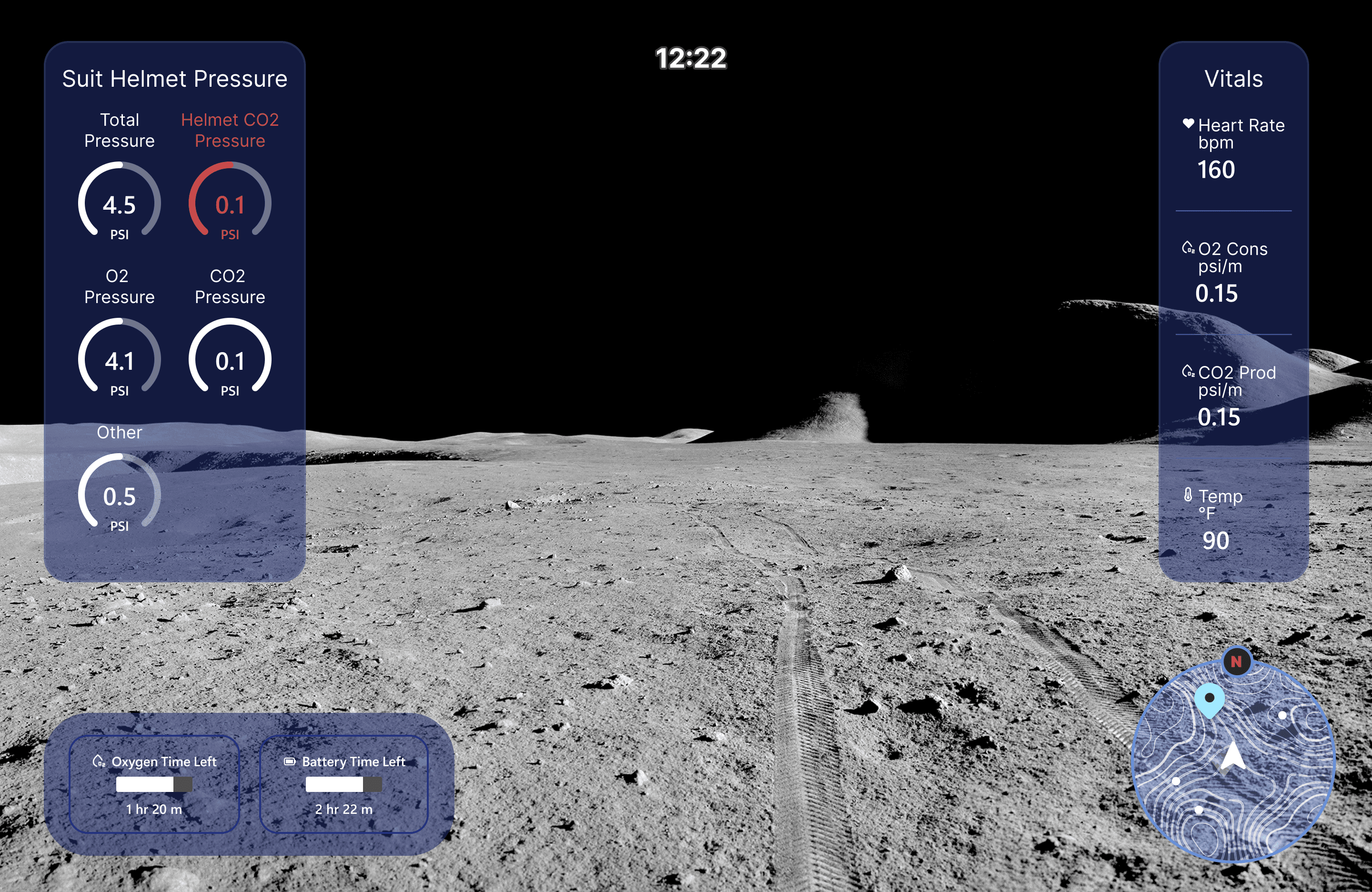
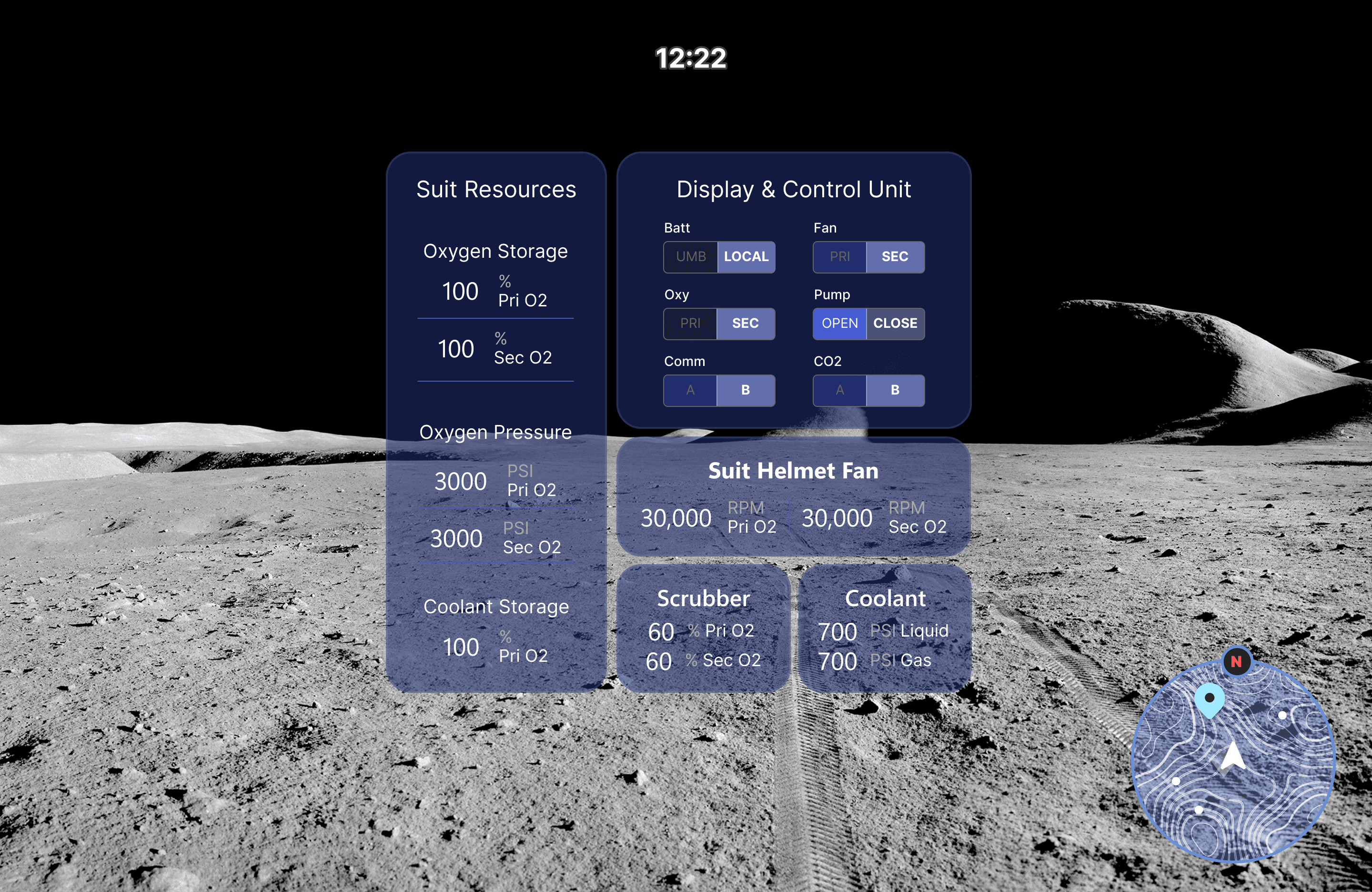
Due to the limited AR field of view, I explored glanceable vitals layouts to reduce cognitive load. The final direction consolidated into a single screen to meet implementation. Within this constraint, I focused on clear visual hierarchy and scanability to keep critical information easy to read.
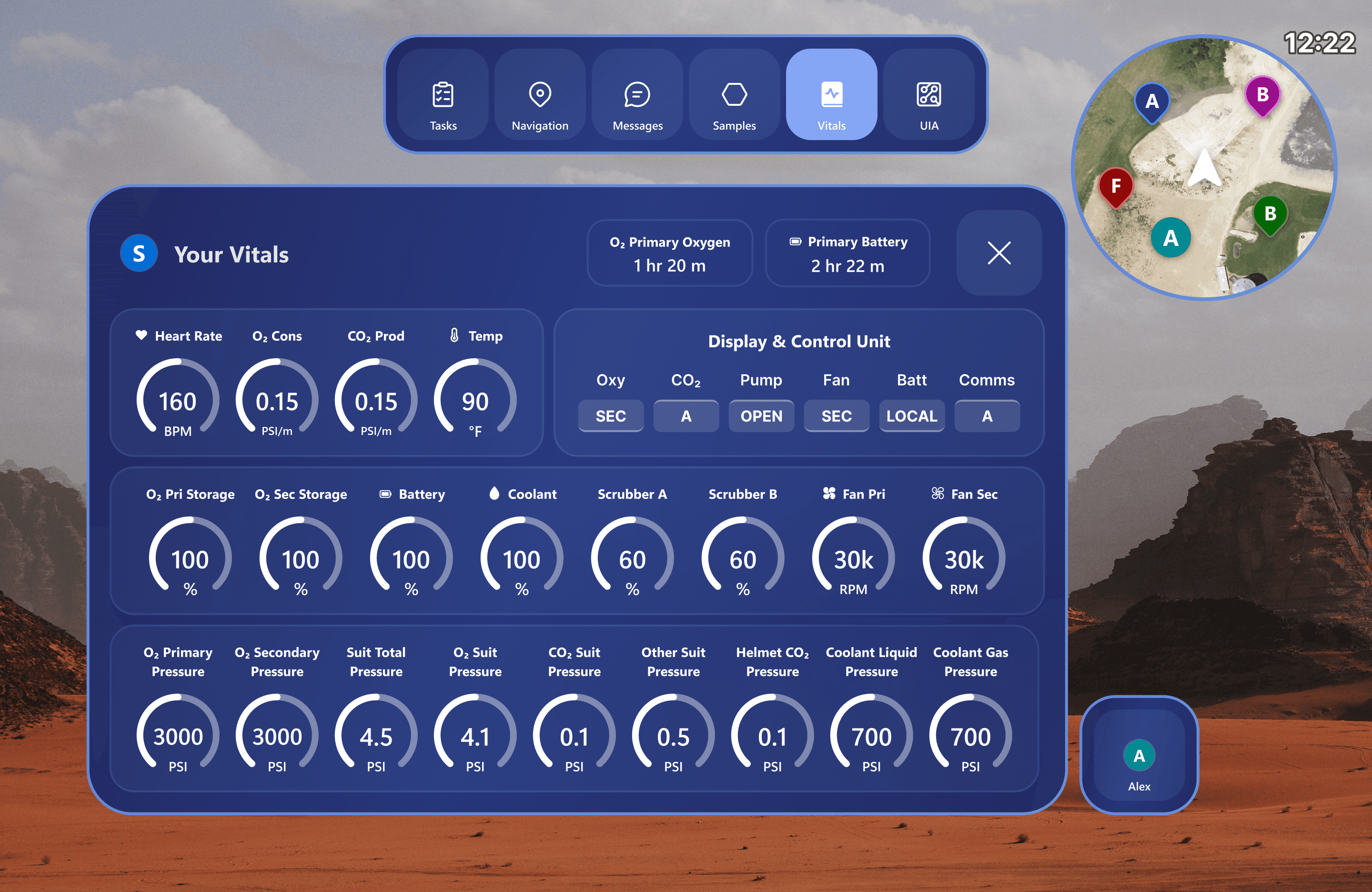
Initial vitals layout with all telemetry consolidated into a single screen for completeness and system visibility.
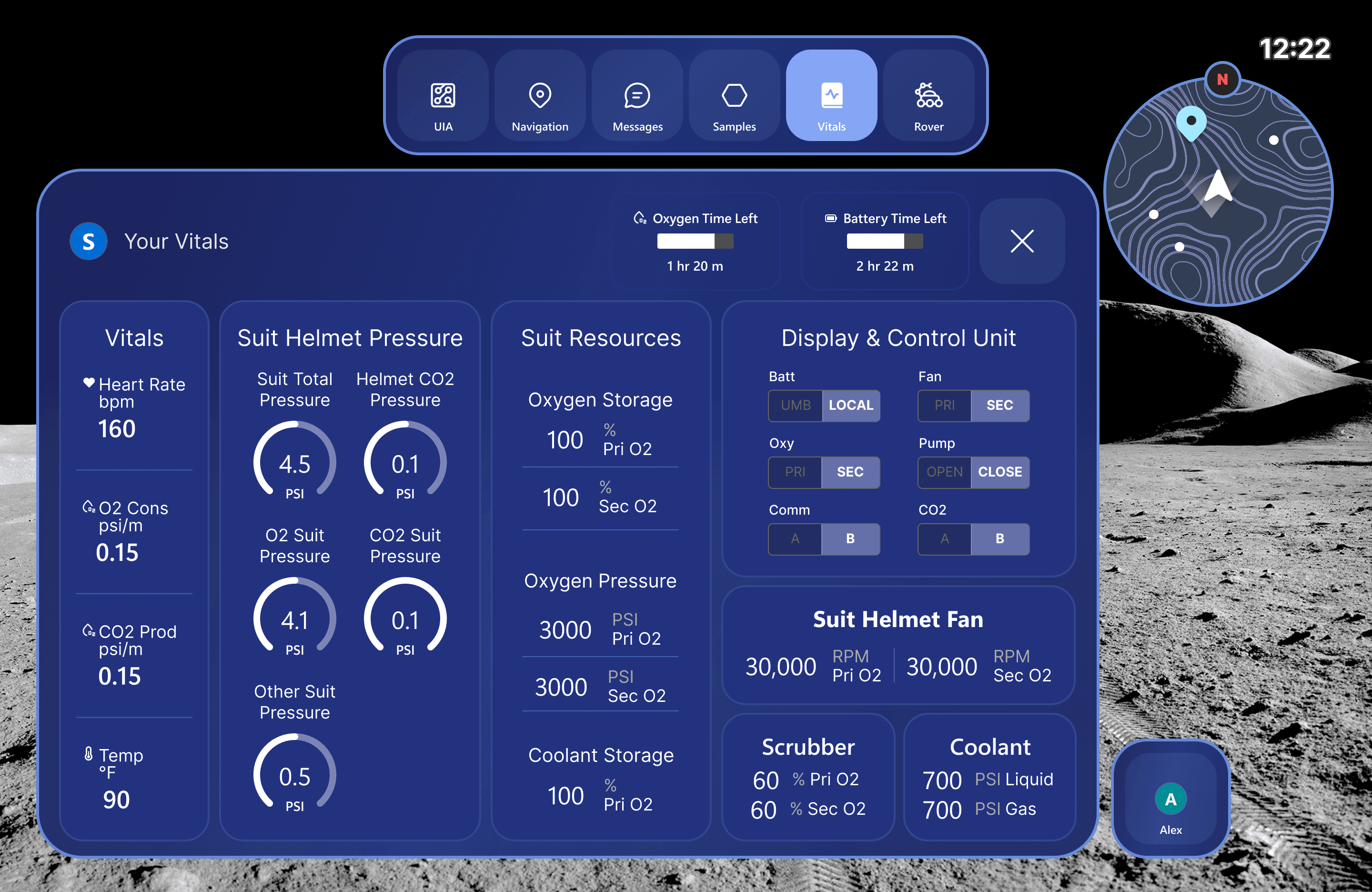
Refined vitals layout with clearer grouping and visual hierarchy, improving scanability and reducing cognitive load in a limited AR field of view.
Feedback and Iteration
Feedback from Johnson Space Center reinforced the importance of keeping information out of the astronaut’s central field of view. The evaluator emphasized glanceable, peripheral UI and noted that astronauts often want to “go out of their way” to check information rather than have it constantly intruding on their work.
Kept vitals out of the center of the field of view
Made vitals small, glanceable, and peripheral rather than a dominant panel
Explored future directions for head-down or lower-FOV vitals clusters for quick checks
Problem 2
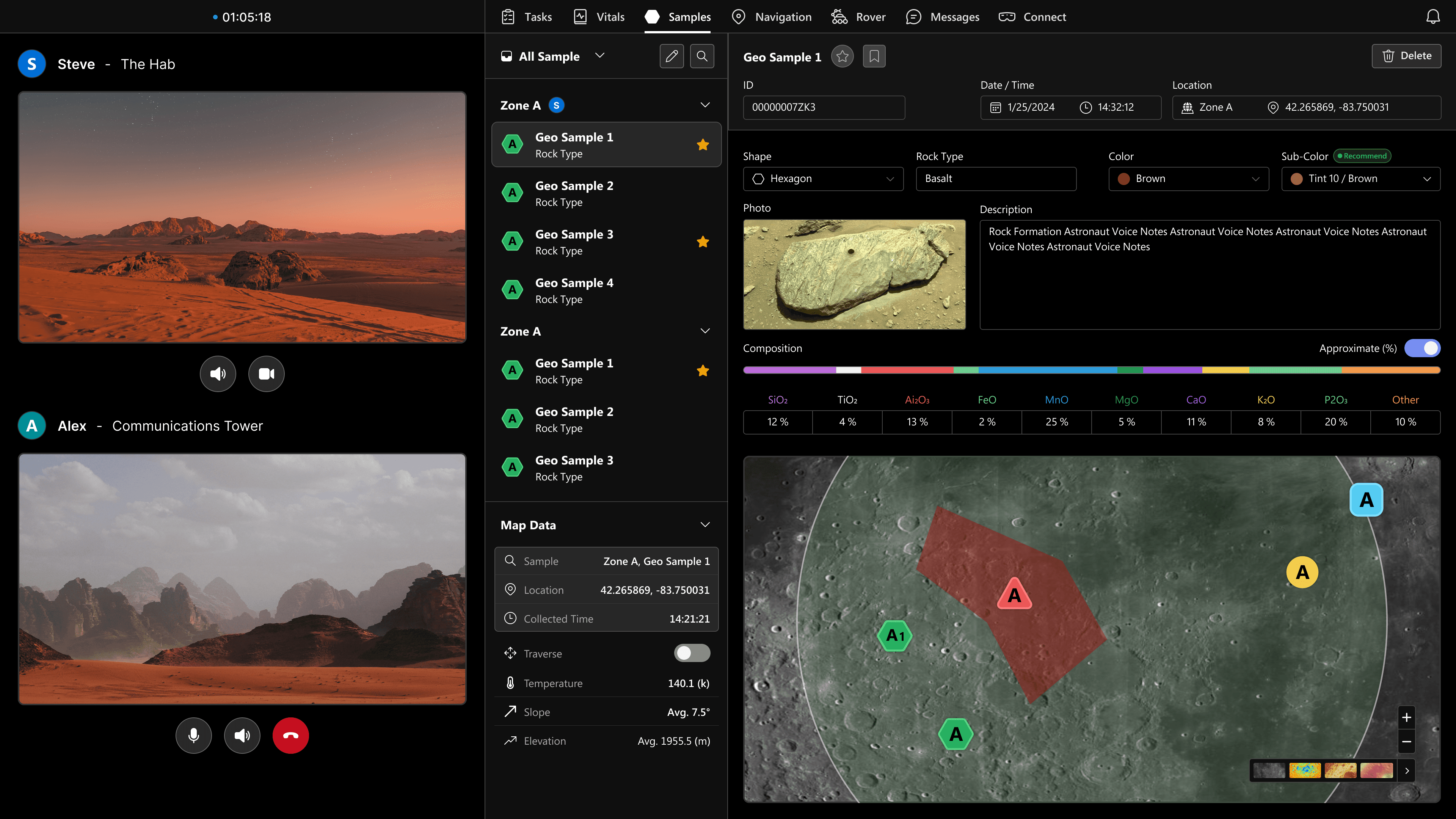
During EVA, astronauts must collect geological samples while navigating uneven terrain, managing tools, and communicating with mission control. Sample documentation requires recording location, photos, chemistry, and notes, often under time pressure.
The traditional process is:
Multi-step and difficult to reference mid-task
Easy to mislabel or lose sample context
Hard for LMCC to verify progress in real time
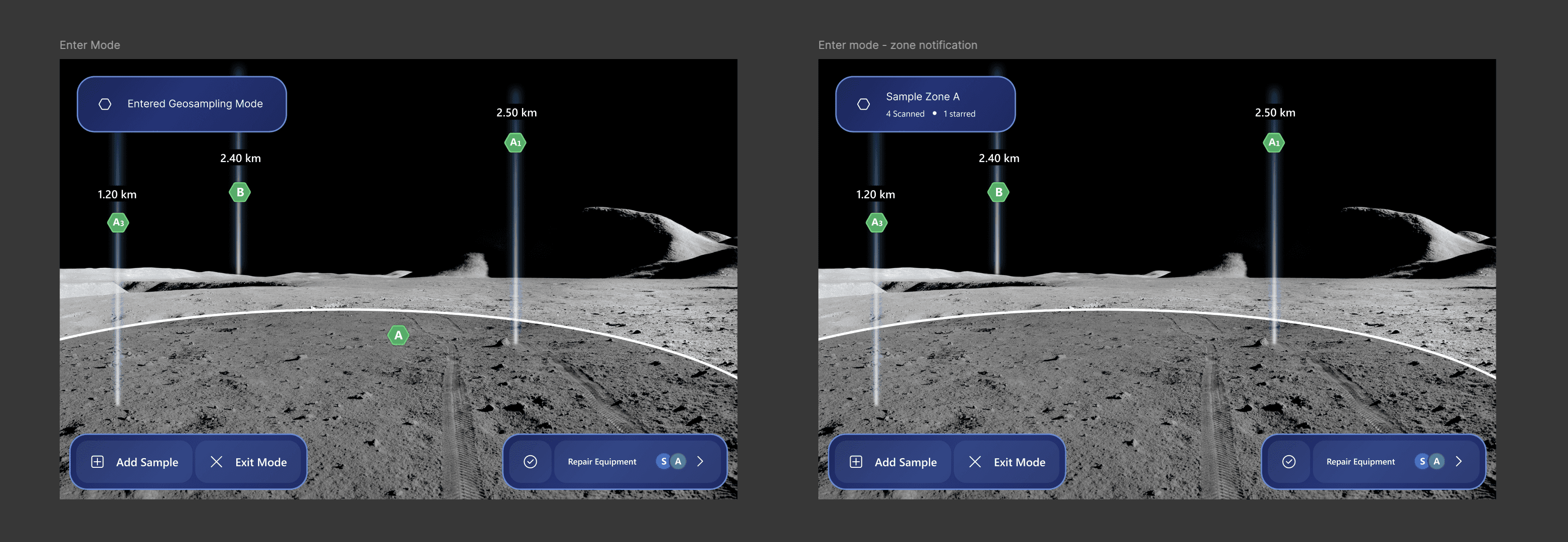
Entering Geo-sample mode, part of the AR workflow for the astronaut during sample collection
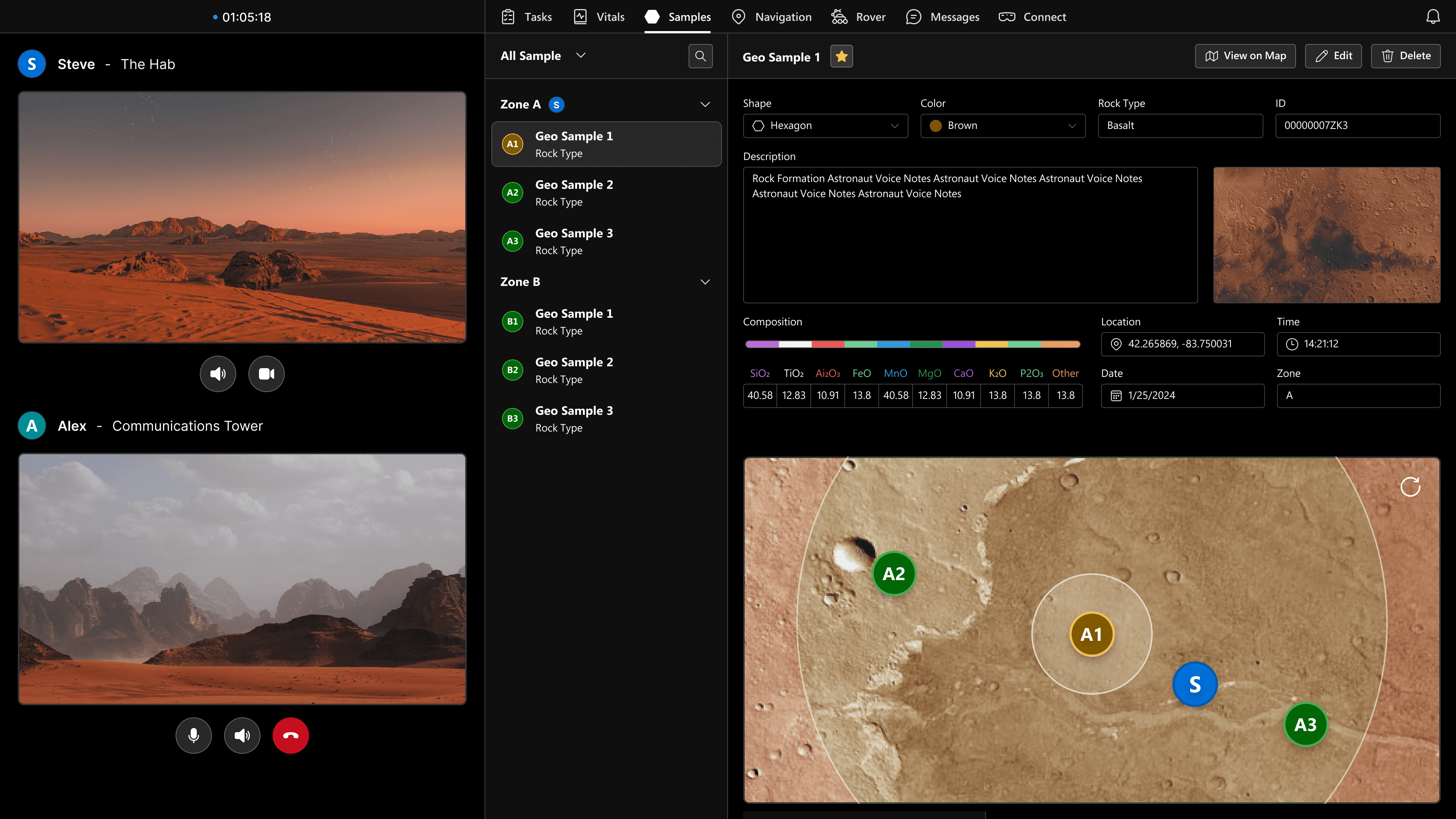
Previous web database for LMCC to verify, annotate, and track samples live
Based on previous feedback, I've addressed the hierarchy, redundant fields, and limited feedback of the UI
Designing for Scientific Ambiguity
Samples are affected by oxidation states, leading to possible inaccurate intepretations during collection. I expanded on color pickers for accuracy without hard coding scientific assumptions.
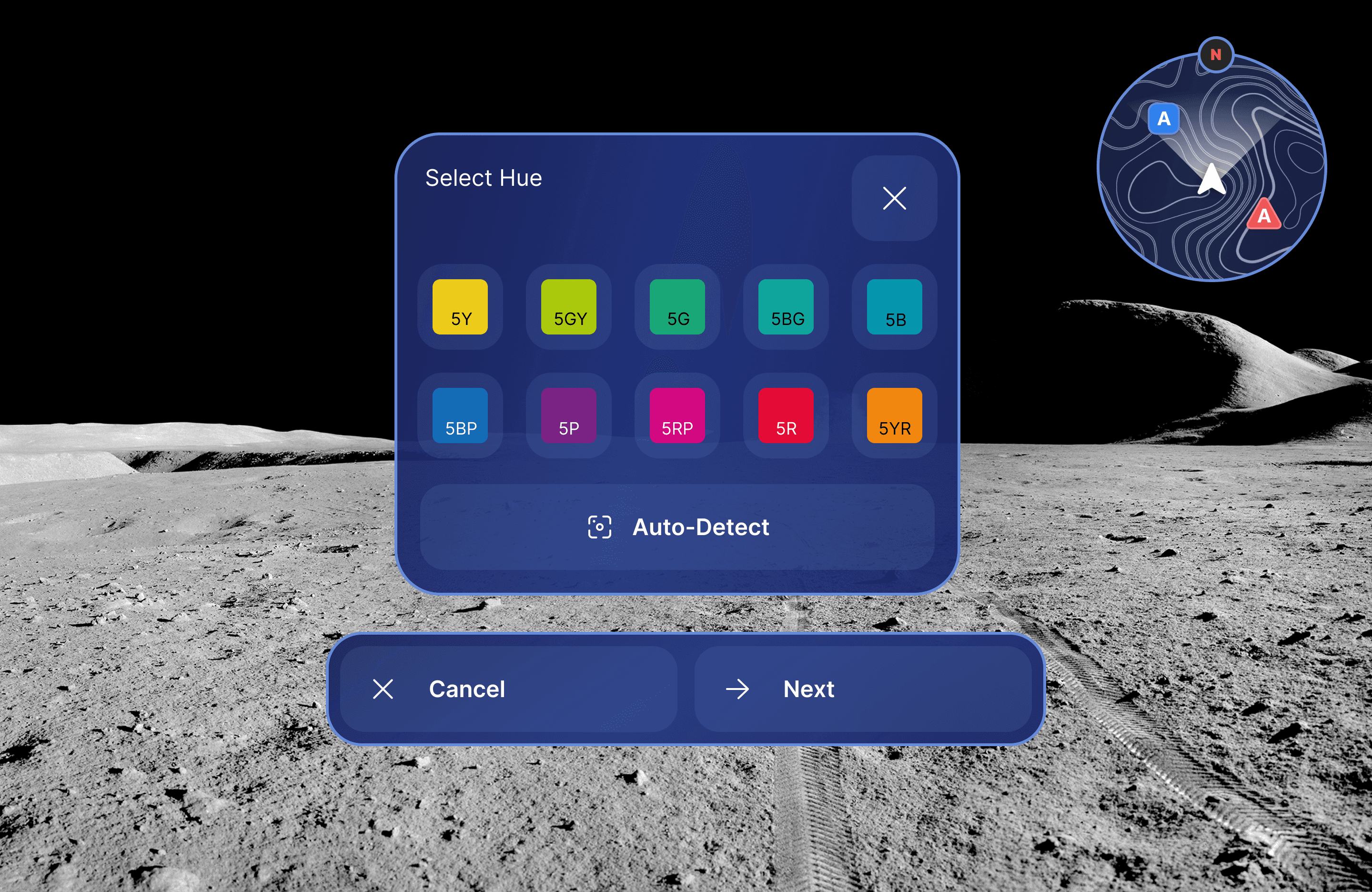
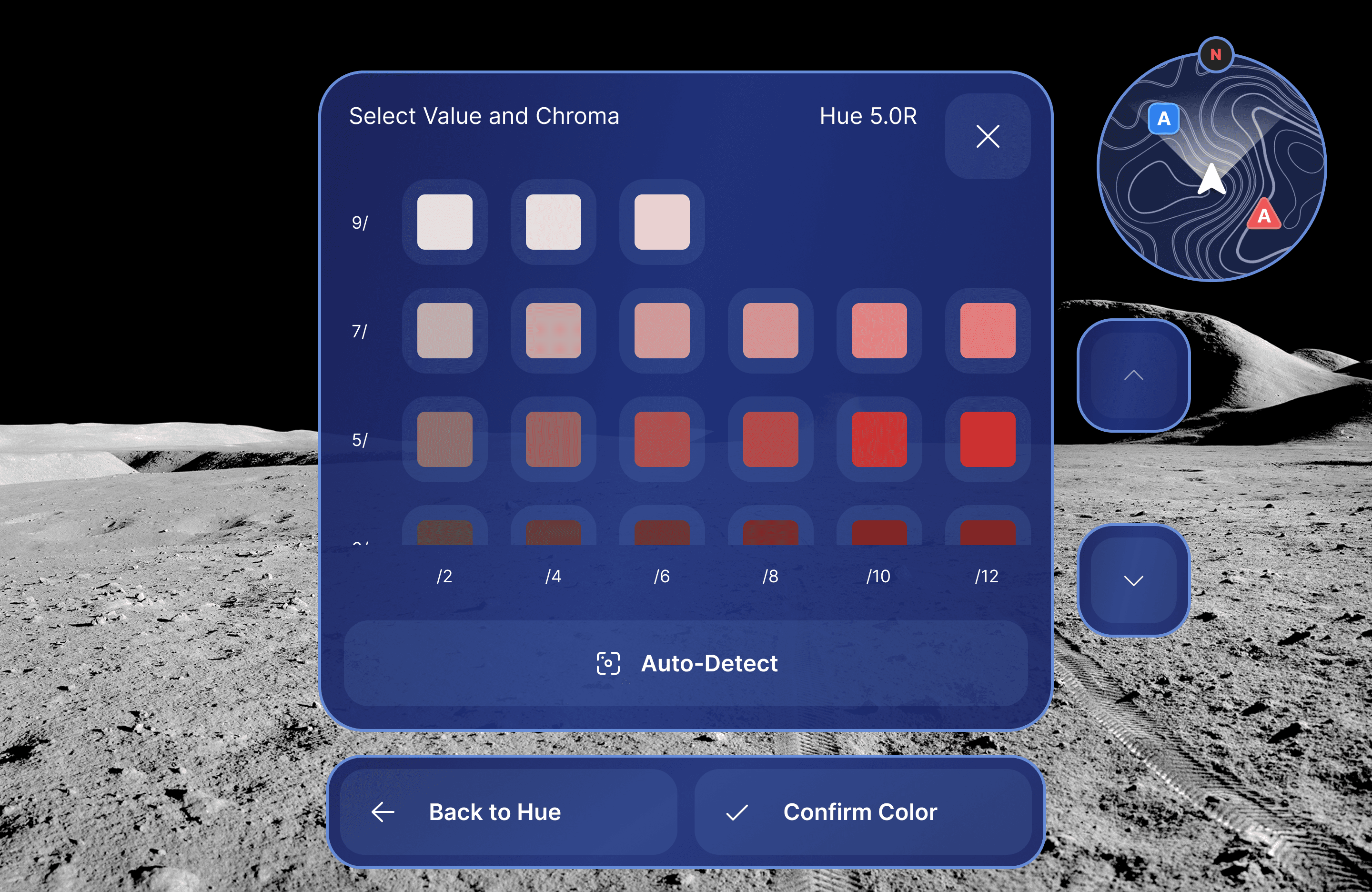
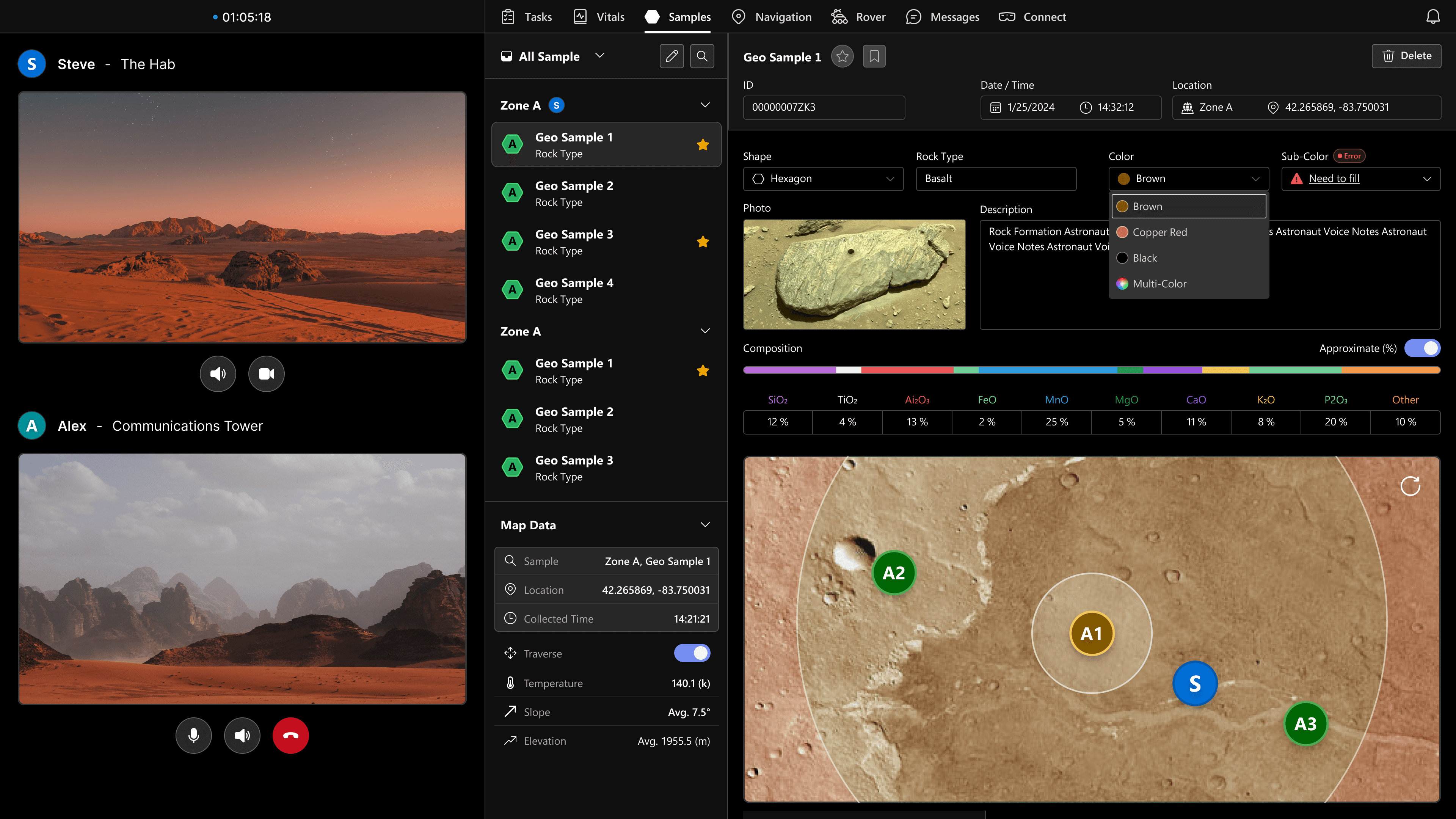
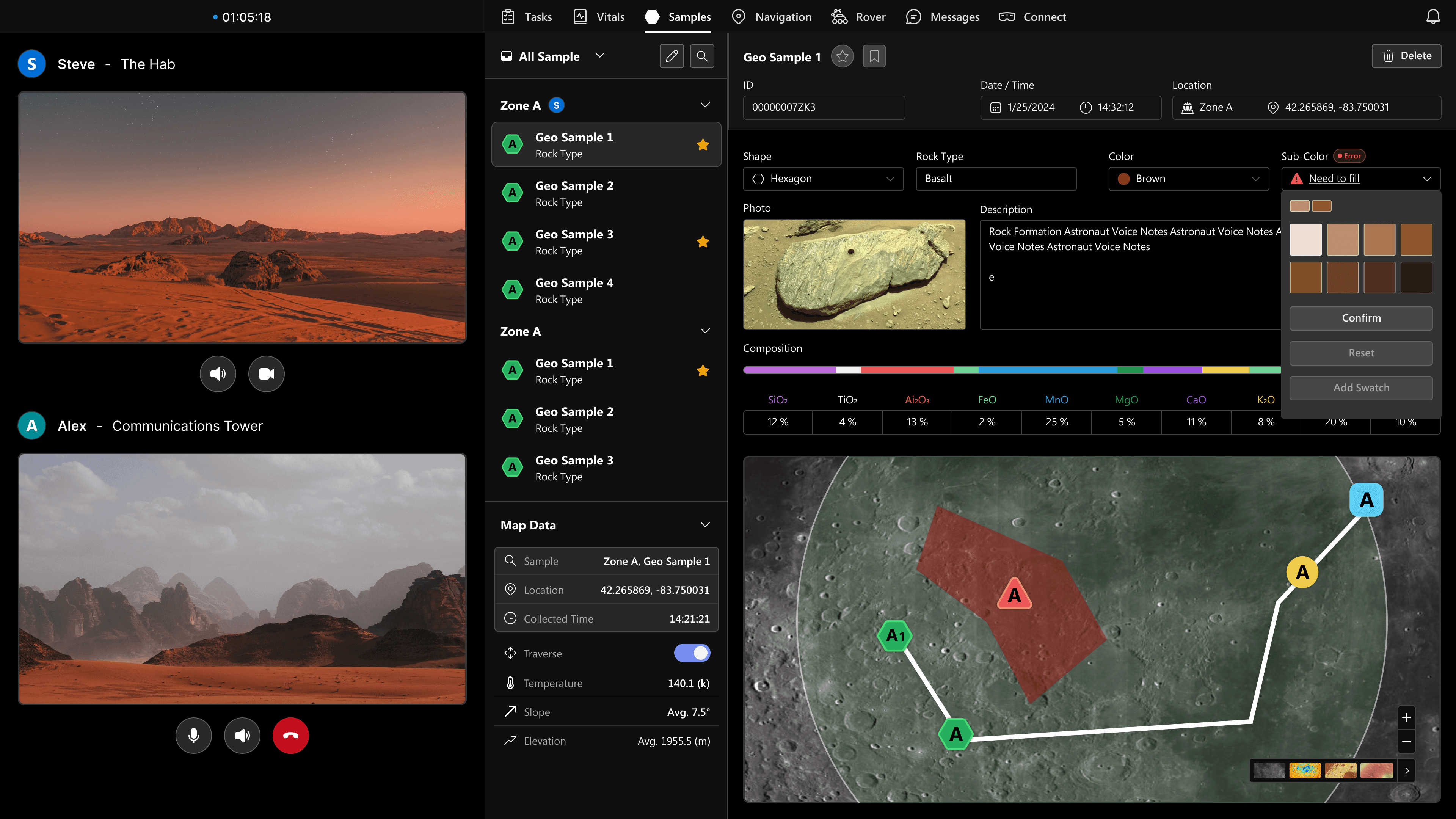
Free color pickers proved unreliable with eye-gaze, so we constrained color options and mirrored those constraints across AR and Web for consistency
Problem 3
EVA conditions break standard interaction models.
Gloves reduce dexterity
Hand tracking fails when hands are occupied
Eye gaze can misfire with motion or lighting
Voice commands can fail in noisy environments
NASA guidance emphasizes redundancy. No interaction method can be a single point of failure.
Entering Geo-sample mode, part of the AR workflow for the astronaut during sample collection
Previous web database for LMCC to verify, annotate, and track samples live
Based on previous feedback, I've addressed the hierarchy, redundant fields, and limited feedback of the UI
Designing for Scientific Ambiguity
Samples are affected by oxidation states, leading to possible inaccurate intepretations during collection. I expanded on color pickers for accuracy without hard coding scientific assumptions.
Free color pickers proved unreliable with eye-gaze, so we constrained color options and mirrored those constraints across AR and Web for consistency
Business vs. Academic
The start-up experience differs significantly from the design process I would tackle in school or passion projects. During my internship experience, I learn how to incorporate business goals into my designs within a start-up environment. Communicating with developers, marketing, and other teams outside of design is crucial to accomplish our goals.
Design Constraints
In most passion projects or academic research, there is a lot of ambiguity and freedom in what I can do to approach a problem. While I had multiple ideas for optimizing a design, I had to let go of many notions and choose designs that were easiest to implement and had the highest business value.